An educational look at cloud-based fax alternatives for Alaska Center for Children and Adults — exploring options that improve reliability, compliance, and efficiency for large medical records transfers.
ACCA relies on traditional faxing through a Kyocera MFP connected to a POTS (Plain Old Telephone Service) line. This setup works — but it faces real challenges when handling the volume and sensitivity of healthcare records.
ACCA had a working Scan-to-SMB workflow that saved incoming faxes as PDFs to the server — until a Kyocera firmware update broke it. Here's the timeline of what happened and where things stand.
A firmware update on the Kyocera MFP caused the existing Scan-to-SMB workflow to intermittently fail. When it fails, the Kyocera falls back to printing the documents instead — sometimes hundreds of pages at a time.
The printer vendor placed a Buffalo NAS on-site to serve as the SMB share target, working around the compatibility issue. This stabilized the workflow — but the vendor now needs the NAS back.
The NAS is leaving. ACCA needs to decide: replace it with a permanent NAS and keep the SMB workflow, or use this moment to evaluate whether a cloud-based approach solves more problems long-term.
Vicinity is happy to source and deploy a replacement NAS (e.g. a Synology with encryption at rest serving SMB) to restore the Scan-to-SMB workflow. However, as your technologist, we want to be transparent:
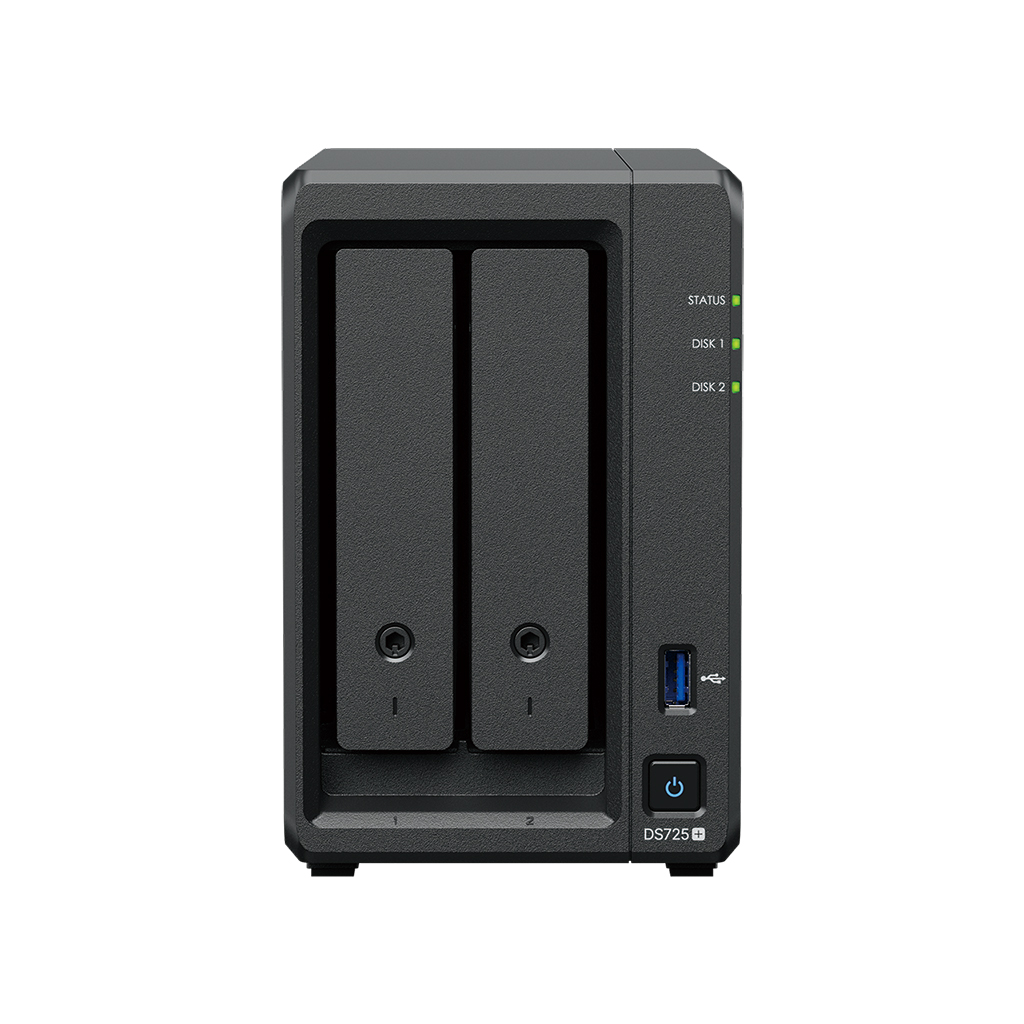
| Synology DiskStation DS725+ (2-bay, diskless) | $520 |
| Synology HAT3300+ 4TB NAS HDD × 2 | $310 |
| Vicinity labor (setup, config, encryption, SMB share) | TBD |
| Hardware Total | ~$830 |
2-bay NAS with RAID 1 mirroring (4 TB usable), hardware encryption at rest, Synology DSM for SMB share management. Prices from B&H Photo as of Feb 2026.
Both paths are valid. We can deploy a NAS quickly to keep things running while you evaluate cloud options — or you can move directly to a cloud solution. There's no wrong answer here, just different trade-offs in reliability and long-term maintenance.
Analog faxing has served healthcare for decades, but it comes with limitations that grow more painful at scale — especially with large medical records transfers.
Cloud fax replaces the analog phone line with internet-based transmission. You keep your fax number and your workflows — just without the POTS line and its limitations.
Documents are transmitted over your internet connection instead of a phone line — faster, more reliable, and no busy signals.
Send and receive faxes from your email. Incoming faxes arrive as secure PDF attachments in your inbox.
Documents are encrypted during transmission and at rest, meeting HIPAA requirements for protecting PHI.
Your existing fax number stays the same. Whether through a direct port or call forwarding, external parties won't notice any difference.
This is a key question. MFP integration varies significantly by provider and is not universal. Documo offers a FaxBridge ATA device that replaces the POTS line with an internet connection, which may allow the Kyocera's built-in fax to continue working. Their native MFP connector app is Xerox-only. SRFax and others offer desktop print drivers (Windows PC, not the MFP itself). Most providers support a scan-to-email workflow: scan at the Kyocera, email to the fax service. Kyocera-specific integration would need to be confirmed directly with each vendor.
Number porting can be problematic in Alaska, especially in the Fairbanks area, where legacy carrier infrastructure doesn't always support standard port requests. Here's how we handle it:
First, we attempt a standard number port — moving your existing fax number directly to the cloud fax provider. When this works, it's the simplest path.
If porting isn't possible, we place a Remote Call Forward (RCF) order with the local exchange carrier (LEC). This tells the carrier to automatically forward all calls to your original fax number to a new cloud-based number — still a 907 area code.
The result is the same either way — anyone who has your current fax number on file continues to dial it as usual. They'll never know the difference. The original number stays in place, and other providers or contacts who reference it are not disrupted.
Here are four HIPAA-compliant cloud fax services worth evaluating. Each has different strengths depending on your priorities.
A side-by-side look at what each provider offers across the features that matter most for ACCA.
| Feature | Documo | iFax | SRFax | eFax |
|---|---|---|---|---|
| HIPAA Compliant | Yes | Verified | Yes | Yes |
| BAA Available | Yes | Yes | Yes | Yes |
| 300+ Page Fax | Likely (500 MB cap) | Yes (Pro plan) | Likely (50 MB cap) | No (20 pg/doc cap) |
| Email-to-Fax | ||||
| MFP / Printer Integration | ATA bridge + Xerox-only MFP app | Via email workflow | Desktop driver only | Via email workflow |
| API Access | REST API | API + Zapier | API | Enterprise only |
| OCR / Data Extraction | AI-powered | Fax OCR | Optional | Not listed |
| Mobile App | Web-based | iOS & Android | Web-based | iOS & Android |
| Healthcare Focus | Strong | Moderate | Primary focus | Dedicated plans |
| Number Porting | Port or RCF* | Port or RCF* | Port or RCF* | Port or RCF* |
| Pricing Model | Per-page (usage) | Tiered plans | Tiered (200–20K pgs) | Custom enterprise |
* RCF = Remote Call Forward. In areas like Fairbanks where standard number porting may not be available, a Remote Call Forward order is placed with the local carrier to forward the original number to a new cloud-based number. Either way, the original fax number continues to work for anyone who dials it.
Every organization's needs are different. Here are the factors that matter most when evaluating a cloud fax solution for your practice.
Any cloud fax provider handling PHI must sign a Business Associate Agreement. All four providers listed here offer BAAs, but you'll want to review the specific terms and coverage.
This is critical for ACCA's 300+ page jobs. eFax is not viable — it caps documents at 20 pages per file. iFax Professional explicitly supports unlimited pages. Documo and SRFax have no documented page limits but would need vendor confirmation. SRFax notably resumes retries from the last successful page.
Your staff is used to scanning at the Kyocera MFP. None of these providers advertise native Kyocera integration. Documo's FaxBridge ATA may work with the built-in fax module, but this would need to be confirmed. Scan-to-email workflows are the most universal option.
Consider your monthly fax volume. SRFax's tiered plans give clear per-page costs, while Documo's consumption model may flex better if your volume varies month to month.
Major carriers are actively retiring copper POTS lines. Cloud fax eliminates this dependency entirely, future-proofing your fax capability regardless of carrier decisions.
Change management matters. The best solution is one your team will actually use. Providers with simpler interfaces and familiar workflows (email, MFP scanning) ease adoption.
If any of this resonates, here's how we'd suggest thinking about the path forward — at whatever pace makes sense for your team.
Talk through your fax volume, workflows, and pain points
Request demos or trials from the providers that interest you
Run a small pilot alongside your existing setup to validate
Port your number (or set up remote call forwarding if porting isn't available) and migrate at a pace your team is comfortable with
For questions, demos, or to explore any of these options further
Erika Baldiviez
erikab@vicinity.team
(907) 885-2599